
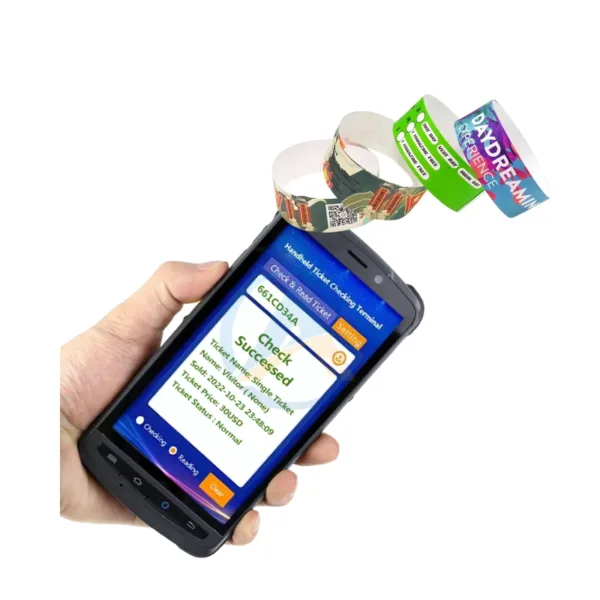
An all-in-one ticketing solution helps attractions simplify ticket issuance, credential encoding, and visitor verification without relying on separate devices for every task. When staff must print tickets, encode RFID credentials, and scan QR codes across disconnected equipment, the process can add operational steps and complicate daily management.
For amusement parks, water parks, museums, and other visitor attractions, integrated ticketing hardware offers a practical way to streamline front-desk workflows. The Integrated Printer RFID QR Code Scanner combines thermal printing, high-frequency RFID encoding, and QR code scanning in one compact unit. Developed for park ticketing and access control applications, this device from Shenzhen ZAH Intelligent Equipment Co., Ltd. can support a more coordinated ticketing process when integrated with a compatible management system.
What Makes an All-in-One Ticketing Solution Effective?
An effective ticketing setup should match your admission process, ticket formats, and existing access control infrastructure. Rather than treating printing, encoding, and scanning as separate tasks, an integrated device brings these functions together.
The ZAH Integrated Printer RFID QR Code Scanner combines three core functions:
- Thermal ticket printing: Produces paper tickets on demand using direct-thermal printing technology.
- RFID credential encoding: Supports HF RFID at 13.56 MHz, including MIFARE Classic and DESFire.
- QR code and barcode scanning: Uses a 2MP CMOS sensor to read supported codes for ticket verification and redemption workflows.
This configuration can help staff issue tickets or membership credentials and prepare them for subsequent verification. However, actual admission authorization depends on the connected ticketing software, credential configuration, and access control system.
Key Technical Specifications of the Integrated Ticketing Hardware
When comparing an integrated ticket printer with separate devices, examine printing speed, encoding compatibility, scanning performance, connectivity, and maintenance requirements.
| Specification | Product Details | Operational Relevance |
|---|---|---|
| Printing technology | Direct thermal, 203 DPI | Supports printed tickets and receipts |
| Printing speed | Up to 4 inches per second | Helps process ticket issuance tasks |
| Paper handling | 80 mm paper roll, automatic cutter | Supports continuous ticket production |
| RFID encoding | HF 13.56 MHz; MIFARE Classic/DESFire | Supports compatible RFID credentials |
| RFID read/write distance | 50 mm | Defines the specified operating range |
| Code scanning | 2MP CMOS; QR, DM, and barcodes | Supports multiple code formats |
| Recognition time | 0.3 seconds, as specified | Helps inform scanning workflow design |
| Connectivity | Dual Ethernet, USB 3.0, RS-232; optional Wi-Fi 6 | Provides options for system integration |
| Integration | RESTful JSON API | Supports integration with compatible software |
| Dimensions | 280 × 180 × 150 mm | Helps with counter and mounting planning |
The device uses a quad-core 1.6 GHz processor, 2 GB RAM, and Linux operating system. Its steel enclosure supports VESA mounting, while the stated operating range is 0°C to 45°C with 20–80% humidity tolerance.
Before purchasing, confirm the exact environmental requirements, network configuration, RFID credential compatibility, and API integration scope with ZAH Ticketing.
Integrated Ticketing Hardware vs. Separate Devices
A combined unit may reduce equipment complexity at service counters. However, the right configuration depends on your ticket volume, physical layout, and existing software.
| Evaluation Factor | Integrated Device | Separate Devices |
|---|---|---|
| Equipment footprint | Combines three functions in one enclosure | Requires space for individual units |
| Ticket issuance | Prints tickets and encodes credentials in one workflow | May require additional handling between devices |
| Code verification | Includes QR, DM, and barcode scanning | Depends on the selected scanner |
| Maintenance | Modular design supports independent module replacement | Each device has its own maintenance requirements |
| Integration | Requires compatibility checks across the connected system | May require multiple interfaces and integration steps |
For attractions with centralized ticket counters, the integrated approach can simplify the physical workflow. Separate equipment may remain appropriate when you need greater flexibility in workstation layout or specialized device configurations.
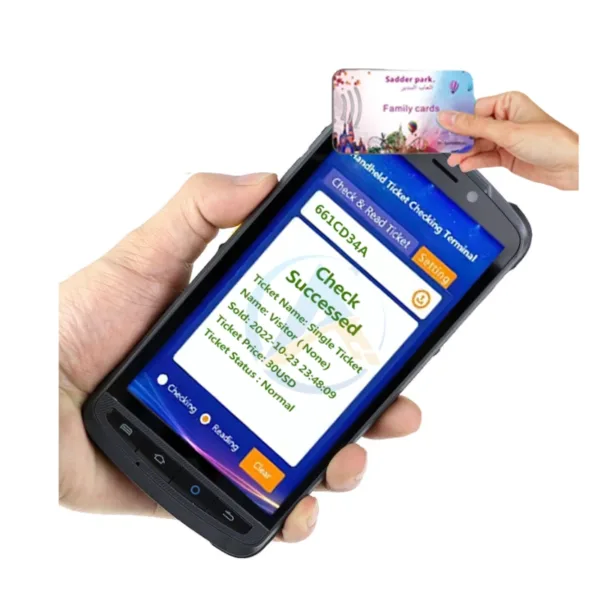
Where Can This Park Ticketing Device Be Used?
1. Amusement and Water Park Ticket Counters
Staff can print admission tickets and encode compatible RFID credentials during issuance. Visitors can then use the supported ticket format with the attraction’s configured validation and entry systems.
2. Membership Card Production
Membership desks can prepare cards with encoded RFID credentials and printed information. QR codes can provide an additional identification or verification method when supported by the membership system.
3. Visitor Service Centers
When visitors need ticket replacements, upgrades, or special-access credentials, staff can use the integrated device to perform supported issuance and encoding tasks. The specific permissions and transaction rules must be configured in the connected software.
How to Integrate an All-in-One Ticketing Solution
Follow these steps to evaluate and deploy the equipment within your existing operation.
- Map your ticketing workflow. Identify where tickets are issued, which credentials visitors use, and how entry staff validate them.
- Confirm media and credential compatibility. Check paper dimensions, RFID standards, card or wristband formats, and QR code requirements.
- Review connectivity and API requirements. Confirm Ethernet, USB, RS-232, or optional wireless connectivity and establish how the device will communicate with your software.
- Configure and test the system. Verify ticket printing, RFID encoding, code scanning, and data exchange in a test environment before deployment.
- Train staff and plan maintenance. Establish operating procedures, consumable replacement schedules, and a process for troubleshooting individual modules.
ZAH Ticketing offers an integrated ecosystem covering ticketing and online booking, access control, POS and kiosks, locker management, and car park management. Its website states that the company has over 12 years of development experience and more than 1,000 successful projects internationally. Confirm which software modules and integration services are included in your proposed deployment.
FAQ
1. What is an all-in-one ticketing solution?
It combines multiple ticketing functions or operational components into a coordinated solution. This product integrates thermal printing, RFID encoding, and QR code scanning in one device, while broader management functions depend on the connected software.
2. Which RFID credentials does this device support?
The stated specifications include HF RFID at 13.56 MHz and support for MIFARE Classic and DESFire. Confirm the exact card or wristband type and encoding requirements before ordering.
3. Can the device integrate with an existing access control system?
The device specifies a RESTful JSON API and multiple connectivity options. Compatibility depends on your existing software, API requirements, and integration scope, so request a technical review before implementation.
Conclusion
Choosing an all-in-one ticketing solution can help you streamline ticket issuance, RFID credential encoding, and QR code scanning at attraction service counters. The ZAH Integrated Printer RFID QR Code Scanner combines these functions with defined technical specifications and integration options, making it worth evaluating for park ticketing and access control workflows. Assess your ticket formats, visitor processes, software compatibility, and maintenance needs before selecting the final configuration.
CAT
Contact Shenzhen ZAH Intelligent Equipment to discuss your park’s ticketing workflow, RFID credential requirements, and access control integration. Share your existing system details and expected use cases to request a product specification review and determine whether this integrated device fits your project.

Add comment