
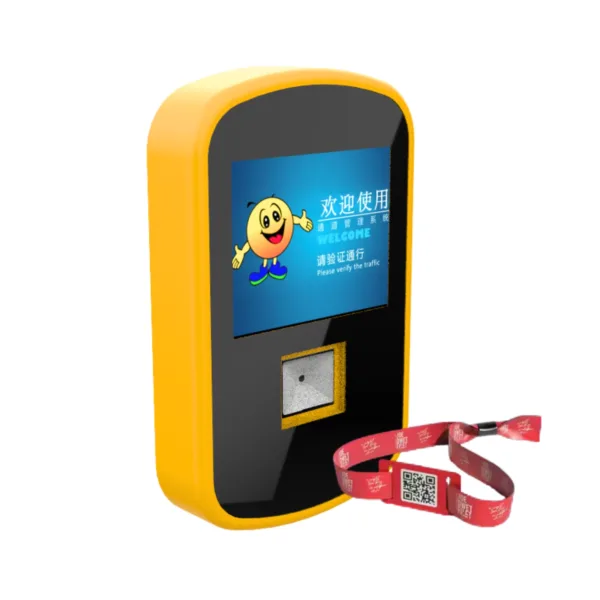
A slow entrance can create long queues, frustrate visitors, and increase pressure on your ticketing staff. A mobile ticket validator helps you verify smartphone-based tickets at park entrances and attraction gates, reducing the need for manual checks and supporting a smoother admission process. For theme parks, water parks, museums, and other visitor attractions, the right reader should combine responsive QR code scanning, dependable outdoor operation, and compatibility with your existing ticketing infrastructure.
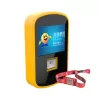
Shenzhen ZAH Intelligent Equipment Co., Ltd. develops integrated ticketing and management solutions that combine software, access control hardware, POS systems, and self-service kiosks. Its 2.4-inch smart QR code reader is designed to support electronic ticket validation and help operators connect entry hardware with their wider admission workflows.
What Is a Mobile Ticket Validator?
A mobile ticket validator is a hardware device that scans and verifies electronic tickets displayed on smartphones. Depending on its configuration and connected software, it can help determine whether a ticket is valid before a visitor enters a venue or attraction.
Unlike a basic QR code scanner used for general data capture, a ticket validator operates as part of an admission workflow. It can connect with a ticketing platform or access control system to support ticket verification and entry authorization.
For attraction operators, common applications include:
- Theme parks: Validate online tickets at main entrances and individual rides.
- Water parks: Check digital admissions while supporting compatible wristband-based access workflows.
- Museums and exhibitions: Verify advance bookings and timed-entry tickets.
- Self-service kiosks: Scan tickets during redemption or registration.
- Event venues: Support electronic ticket checks at designated entry points.
The exact functions depend on the reader configuration and the connected ticketing software.
Key Features of ZAH’s 2.4-Inch Smart QR Code Reader
1. Fast QR Code Scanning
The product specification describes a high-speed CMOS scanning engine for reading QR codes displayed on mobile screens and printed tickets. It also lists support for damaged or angled codes, helping operators handle different ticket presentation conditions.
The product description mentions decoding times below 0.1 seconds, while the technical specification lists below 0.2 seconds. Confirm the tested performance and operating conditions with ZAH before using either figure in procurement specifications.
2. QR Code and RFID Integration
The reader is described as supporting a configurable combination of QR scanning and UHF RFID operating at 860–960 MHz. Optional expansion bays are listed for NFC, biometric, or ICC card-reading modules.
This flexibility may benefit venues that use digital tickets alongside physical credentials. However, QR codes, UHF RFID, and NFC are different technologies, so you should confirm the supported configuration, compatible credentials, and required software before ordering.
3. Outdoor Installation and Environmental Protection
Entry equipment may face rain, direct sunlight, temperature changes, and frequent daily use. The product information lists an IP65 rating in its overview and an IP68-rated main body in its technical specifications.
Because these ratings represent different levels of protection, ask ZAH to confirm the certified rating for the exact model and enclosure. The listed operating temperature range is -40°C to +85°C; verify the validated range for your installation environment.
4. Flexible Connectivity and System Integration
The technical specifications list Ethernet, Wi-Fi 6, 5G, LoRaWAN, and RS-485 as interface options, alongside a 12–48 V DC power configuration and PoE++ support. Availability may vary by model.
ZAH also offers an integrated ticketing ecosystem with access control, online booking, POS, kiosks, and open API integration. This can help you evaluate the reader as part of a complete admission solution rather than as an isolated device.
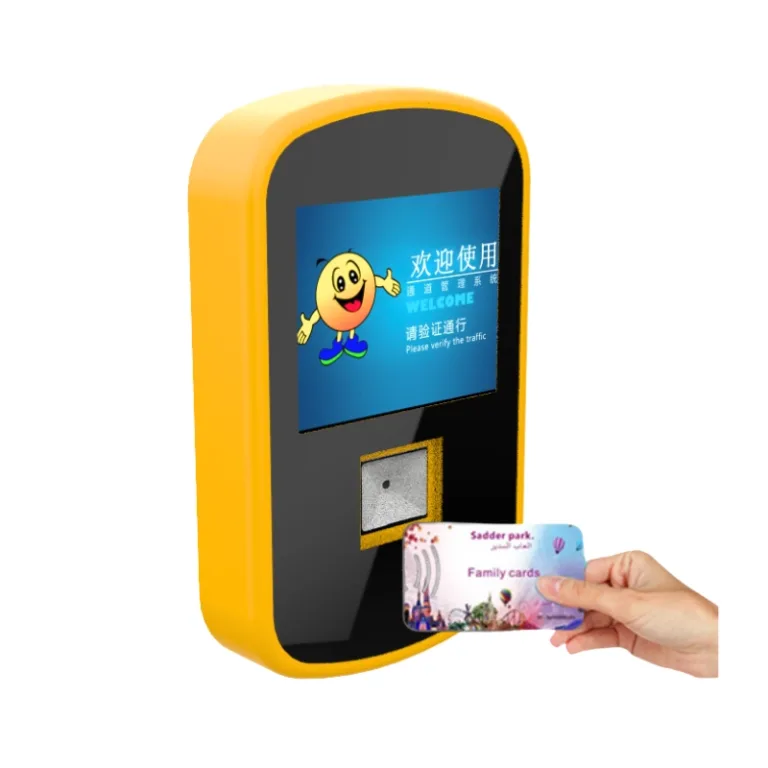
How to Choose the Right Park Ticket Reader
Compare the main options against your operational requirements before selecting hardware.
| Evaluation factor | Basic QR scanner | Smart ticket reader |
|---|---|---|
| QR ticket scanning | Depends on device | Designed for ticket validation workflows |
| RFID or NFC support | Usually requires separate hardware | Optional modules, subject to configuration |
| Gate integration | May require additional development | Designed for access control integration |
| Outdoor installation | Depends on enclosure rating | Published IP ratings require model confirmation |
| Software connectivity | Depends on available interfaces | Multiple interface options are listed |
| Best-fit application | Simple scanning tasks | Integrated attraction admission systems |
A smart reader is not automatically the better choice for every venue. If you only need to scan tickets at a staffed desk, a basic scanner may be sufficient. If you need automated gates, multiple credential types, or integration with ticketing software, a configurable reader may be more suitable.
How to Integrate a Mobile Ticket Validator
Follow these steps to plan a reliable deployment:
- Map your entry process. Identify where you need ticket scanning, including main entrances, rides, kiosks, and restricted areas.
- Confirm ticket formats. Check whether your platform issues QR codes, UHF RFID credentials, NFC cards, or a combination.
- Verify system compatibility. Ask your supplier about communication protocols, API requirements, access control interfaces, and supported ticketing software.
- Test real-world conditions. Trial the reader with smartphone screens, printed tickets, low-light conditions, and expected visitor volumes.
- Validate security and fallback procedures. Confirm how the system handles duplicate, expired, or offline tickets and what staff should do if connectivity fails.
- Run a pilot before rollout. Measure scanning success, entry throughput, and exception rates at one gate before expanding deployment.
Why Consider ZAH Ticketing?
Shenzhen ZAH Intelligent Equipment Co., Ltd. reports 12 years of industry experience and more than 1,000 successful projects internationally. Its offering combines ticketing software and self-developed hardware, allowing operators to evaluate admission devices alongside booking, payment, and access control workflows.
The company also states that it provides multilingual support, open API integration, lifetime software updates and technical support under its stated terms, and 24/7 customer assistance. Its company profile lists ISO, CE, and RoHS credentials, as well as software copyrights and patents. Ask ZAH for the relevant certificates, their scope, and applicable product models during supplier evaluation.
Frequently Asked Questions
Can a mobile ticket validator scan tickets from smartphones?
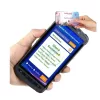
Yes, a compatible QR code reader can scan electronic tickets displayed on smartphone screens. Actual performance depends on screen brightness, code quality, scanning distance, and device configuration.
Can the reader work with RFID wristbands?
The product specifications list configurable UHF RFID support and optional NFC modules. Confirm the frequency, credential type, reader configuration, and software compatibility before deployment.
Is this reader suitable for outdoor theme park entrances?
It is presented for park entry applications, but you should verify the exact model’s IP rating, temperature limits, mounting requirements, and exposure conditions before installation.
Conclusion
Choosing a mobile ticket validator involves more than scanning speed. You need compatible ticket formats, dependable hardware, clear integration requirements, and a practical process for handling exceptions. ZAH Ticketing offers a 2.4-inch smart QR code reader within a broader ticketing and access control ecosystem, giving attraction operators a solution to evaluate for their entry requirements.
Request a Product Consultation
Contact ZAH Ticketing at floris@szzah.com or call +86 13332926130 to discuss your venue size, expected visitor volume, ticket formats, gate configuration, and software integration requirements. Request the model-specific datasheet, confirmed environmental ratings, and a demonstration before making your purchasing decision.

Add comment