
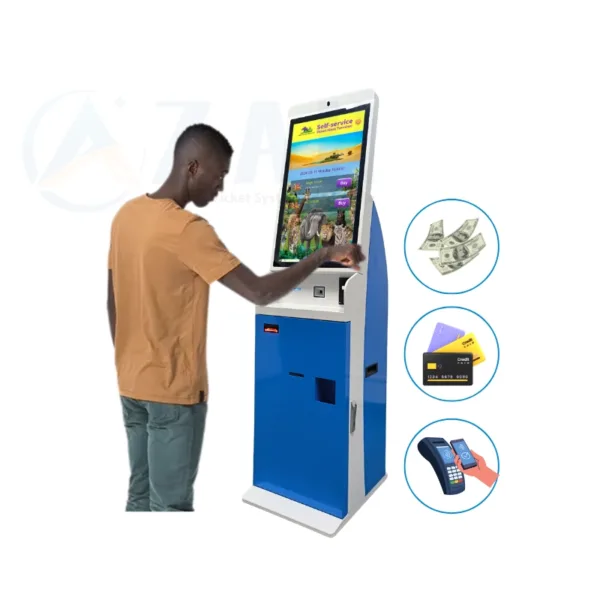
Choosing the right ticketing system supplier can help you simplify admissions, reduce queues, and manage ticket sales more efficiently. For amusement parks and tourist attractions, staffed ticket counters may struggle during peak hours, while visitors who prefer cash need an alternative to online booking and card payments. A cash-accepting ticketing kiosk gives visitors another way to purchase admission tickets without waiting for an available cashier.
ZAH Ticketing develops integrated ticketing software and hardware for attractions, theme parks, and events. With over 12 years of industry experience and more than 1,000 international projects reported by the company, ZAH provides solutions that combine ticketing, access control, point-of-sale systems, and self-service kiosks. This article explains how cash-accepting kiosks work, what features you should evaluate, and how to select a suitable solution for your venue.
How a Cash-Accepting Ticketing Kiosk Improves Park Entry
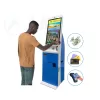
A cash-accepting ticketing kiosk allows visitors to purchase admission tickets at a self-service terminal. Instead of relying entirely on staffed counters, you can provide an additional sales channel at park entrances, ticketing areas, or other suitable locations.
The kiosk combines a touchscreen interface, cash-handling equipment, and a ticketing system. Depending on your configuration, the system can support:
- Self-service ticket sales: Visitors select admission products and complete purchases at the terminal.
- Cash payment processing: Compatible banknote and coin modules accept physical currency.
- Ticket dispensing: An integrated printer issues paper tickets after a successful transaction.
- System integration: Connected ticketing software can synchronize sales and ticket records.
- Multilingual operation: A multilingual interface can help international visitors navigate the purchasing process.
For operators, these functions can reduce dependence on staffed sales counters. However, actual improvements in queue times depend on visitor volume, transaction speed, kiosk placement, and the number of terminals installed.
Key Features to Evaluate When Choosing a Ticketing System Supplier
Not every self-service kiosk supports the same payment methods or operating conditions. Before choosing a ticketing system supplier, assess the hardware, software, and after-sales service together.
1. Cash Handling and Ticket Validation
Cash acceptance is essential when your visitors include people who prefer banknotes or coins. Ask the supplier which currencies the kiosk supports, whether it accepts coins as well as banknotes, and how it handles rejected, damaged, or suspected counterfeit notes.
You should also confirm whether the system records each completed transaction and reconciles payments with issued tickets. These functions help your team investigate discrepancies and maintain accurate sales records.
2. Outdoor Durability and Security
Park entrances often experience changing temperatures, frequent public use, and exposure to environmental conditions. A suitable kiosk should have a durable enclosure, a protected touchscreen, secure cash storage, and appropriate environmental protection for its intended installation location.
ZAH’s supplied product specifications describe a reinforced metal enclosure, an anti-vandalism touchscreen, and an IP54 environmental rating. Before purchasing, confirm the applicable certification documents, operating temperature range, installation requirements, and security features for the exact model.
3. Integrated Ticketing Software
A kiosk delivers greater operational value when it connects to your existing ticketing and access control processes. ZAH Ticketing offers an integrated ecosystem covering online booking, admission management, POS, kiosks, locker management, and car park management.
Before implementation, verify whether the proposed kiosk supports your ticket types, gate validators, payment providers, and reporting requirements. You should also clarify whether software updates, remote diagnostics, and technical support are included in the commercial agreement.
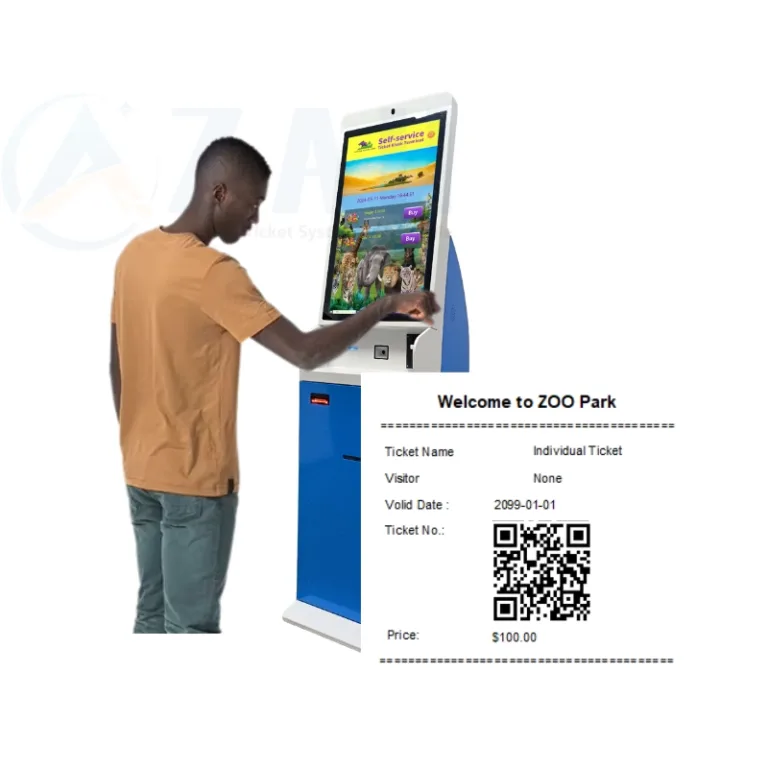
Cash-Accepting Kiosk vs. Staffed Ticket Counter
| Evaluation factor | Cash-accepting kiosk | Staffed ticket counter |
|---|---|---|
| Ticket purchasing | Self-service transactions | Staff-assisted transactions |
| Cash payments | Supported with compatible modules | Handled by staff |
| Staffing requirements | Less staff involvement per transaction | Staff required at each operating counter |
| Operating hours | Can operate during configured unattended periods | Depends on staff availability |
| Visitor assistance | Interface-led guidance | Direct personal assistance |
| Sales reporting | Can integrate with digital reporting systems | Depends on the ticketing and accounting setup |
A kiosk does not replace every function of a staffed counter. Instead, it provides another purchasing option, allowing employees to focus on customer assistance, special requests, and exceptions that require human intervention.
How to Implement a Self-Service Park Entry Solution
A structured deployment helps you avoid compatibility issues and unnecessary equipment costs.
- Assess visitor demand. Review peak arrival periods, average transaction volumes, preferred payment methods, and the locations where queues regularly form.
- Define ticketing requirements. Specify admission categories, ticket formats, discounts, refund rules, and whether visitors need single-entry tickets or other products.
- Confirm hardware compatibility. Check cash acceptors, banknote recyclers, coin modules, printers, touchscreen specifications, network connections, and environmental requirements.
- Integrate the ticketing platform. Confirm how kiosk transactions connect to ticket databases, access control gates, payment services, and reporting tools.
- Test before launch. Run test purchases, verify cash acceptance and ticket issuance, simulate network interruptions, and check transaction reconciliation.
- Monitor and maintain the system. Review sales reports, cash collection records, printer supplies, hardware alerts, and support response procedures.
Following these steps gives you a clearer basis for comparing suppliers and estimating the operational requirements of your installation.
Frequently Asked Questions
Can a cash-accepting kiosk operate without a cashier?
Yes. A properly configured kiosk can support unattended ticket purchases during designated operating hours. However, you still need procedures for cash collection, replenishment, maintenance, refunds, and visitor assistance.
Can the kiosk connect to an existing amusement park ticketing system?
Integration may be possible, depending on the kiosk’s software, available APIs, ticket formats, and access control equipment. Ask your supplier to confirm compatibility with your current platform before placing an order.
What should you confirm before purchasing an outdoor ticketing kiosk?
Check supported currencies, cash validation capabilities, ticket printer specifications, enclosure protection, operating temperature, network connectivity, security arrangements, warranty coverage, and technical support. Request documentation for any claimed certifications and performance figures.
Conclusion
A cash-accepting kiosk can provide a practical additional sales channel for amusement parks, tourist attractions, and event venues. When comparing a ticketing system supplier, evaluate cash handling, hardware durability, software integration, reporting capabilities, and ongoing support rather than focusing on the terminal alone.
ZAH Ticketing combines ticketing software and self-developed hardware within its broader attraction management offering. By defining your requirements and confirming technical compatibility before deployment, you can select a ticketing system supplier that supports smoother park entry and more manageable on-site ticket sales.
CTA
Planning to add self-service ticket sales to your attraction? Contact ZAH Ticketing to discuss your cash payment requirements, ticket dispensing options, access control integration, and kiosk configuration. Share your venue type and expected transaction volume to help the team assess a suitable solution.

Add comment